 ClipBridge
Source on GitHub
Support
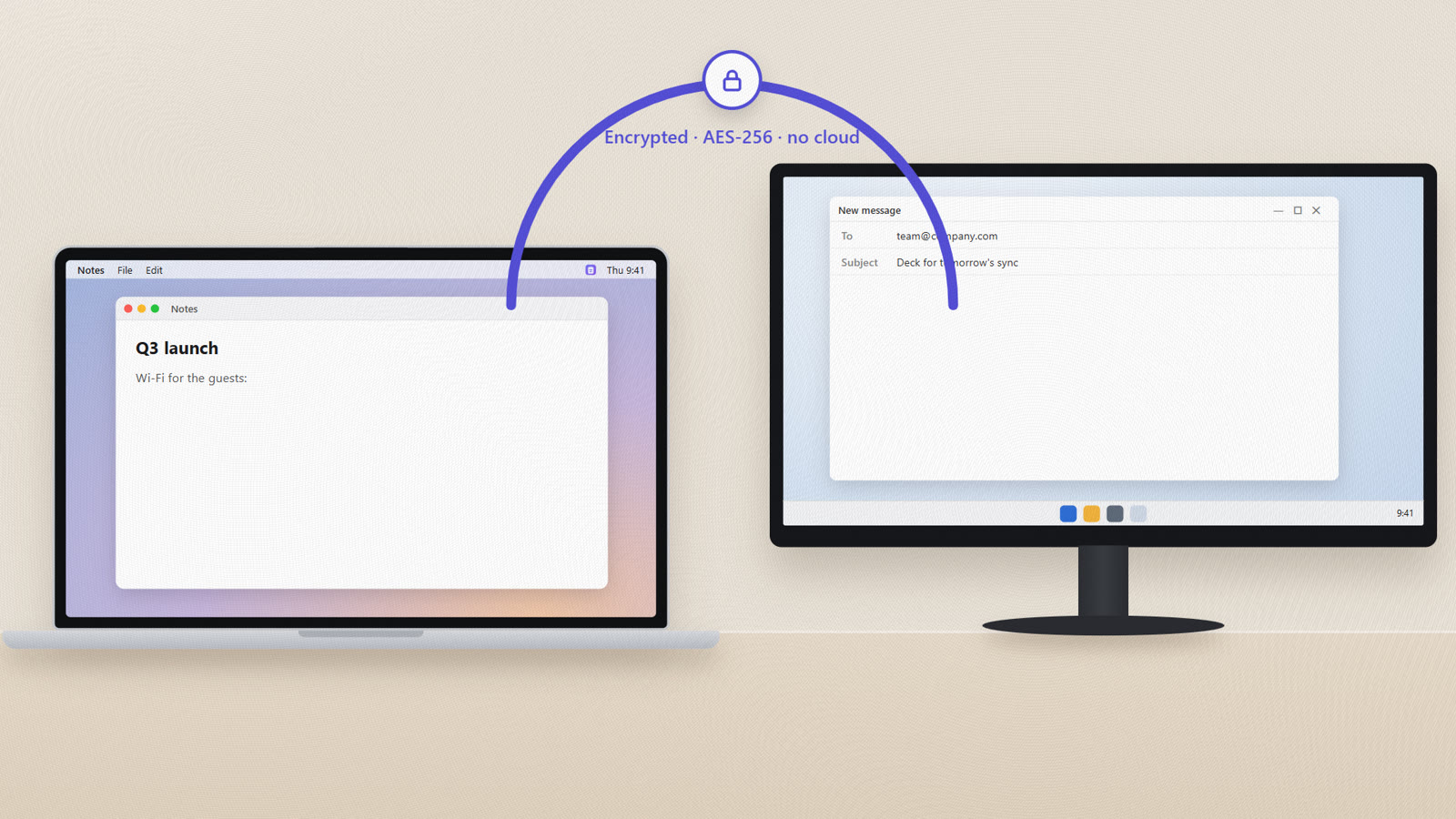
Copy on your Mac.
Paste on your PC.
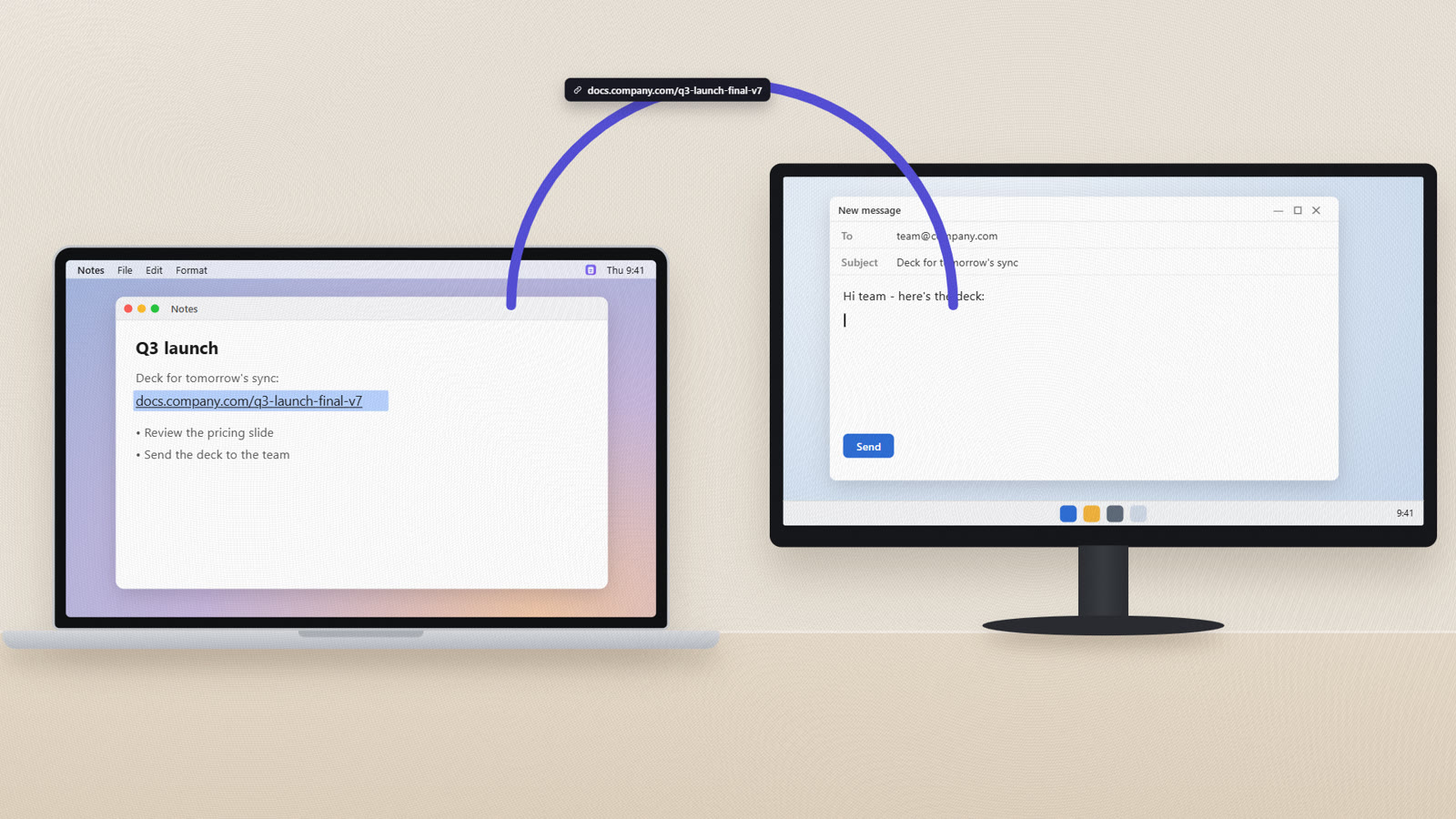
ClipBridge connects the clipboards of your Mac and your Windows PC over your home Wi-Fi - and keeps everything you copy, on both, in one history with no limit. Free and open source.
See it in 80 seconds
From emailing links to yourself to just copying and pasting.
Connect them once. That's it.
- Install ClipBridge on both computersThe Windows installer or the Mac app from the buttons above.
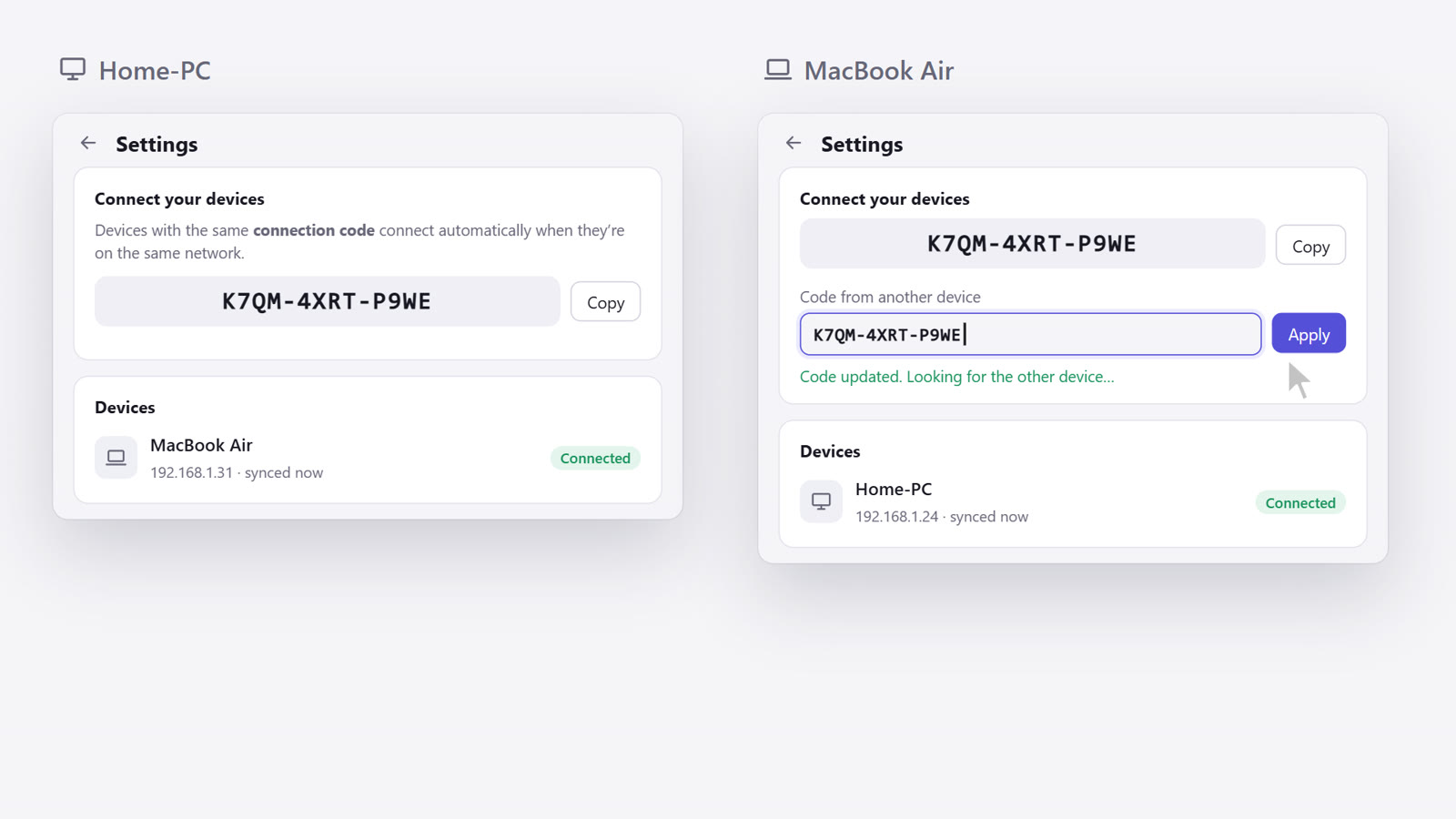
- Enter the same code on bothSettings shows this computer's connection code, like
K7QM-4XRT-P9WE. Type it on the other computer under “Code from another device”. - Copy and paste as usual⌘C on the Mac, Ctrl+V on the PC - or the other way around. It's already there.
Small app. Everything you need.
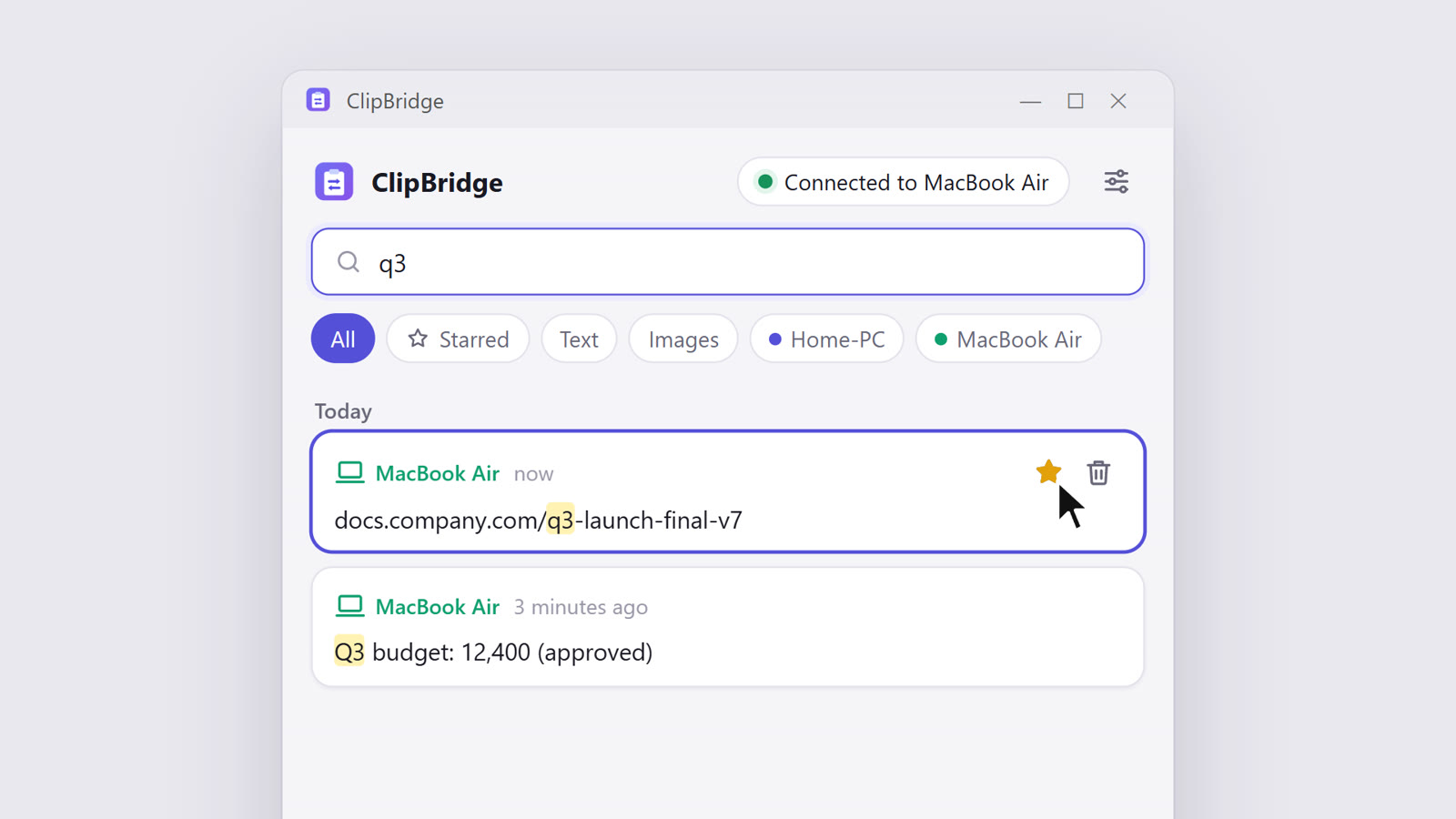
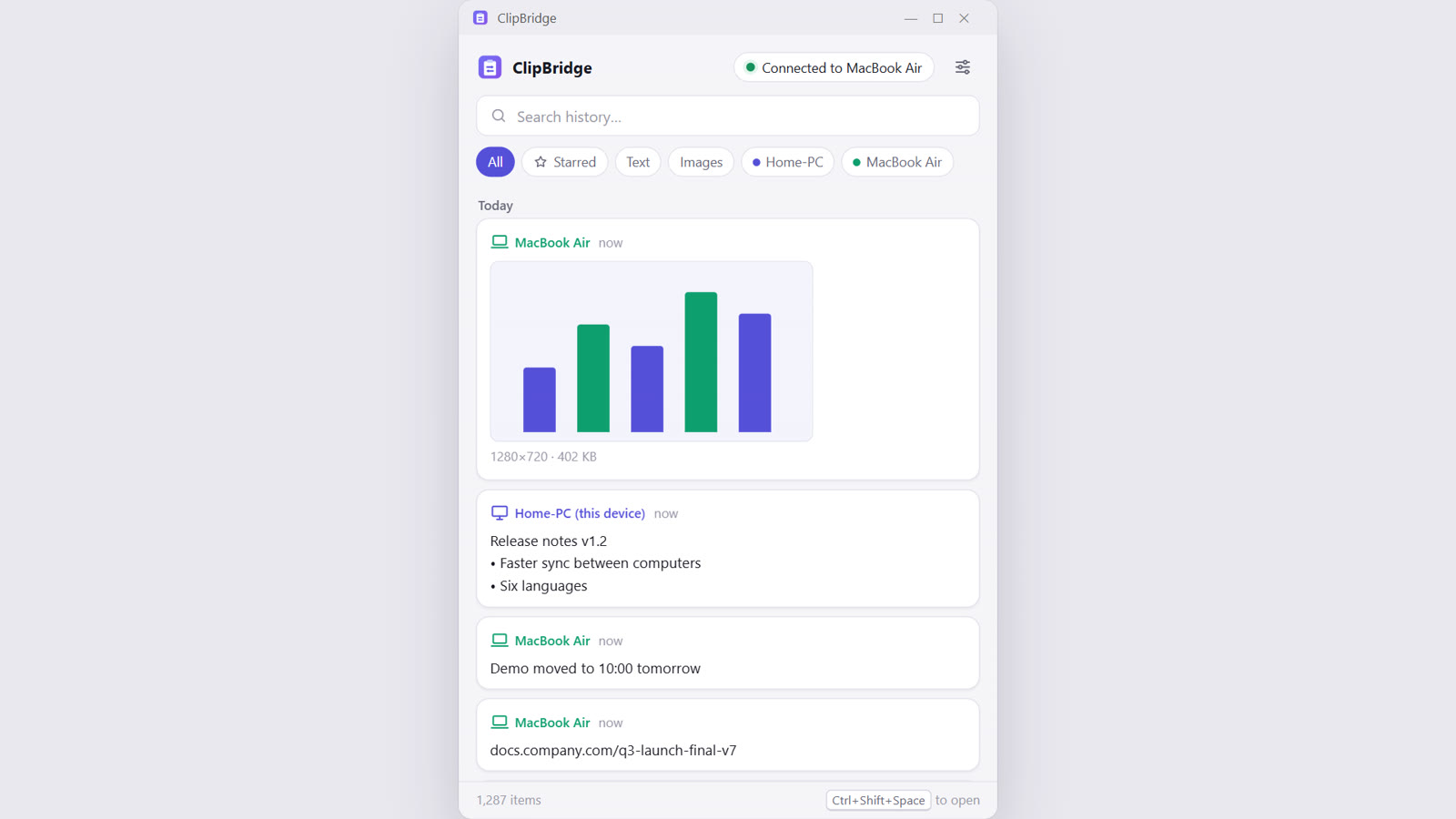
One shared history, no limit
Everything you copy on either computer lands in one history, with the device it came from. Search it, star what matters, click to copy it again. Open it any time with Ctrl+Shift+Space (⌘⇧Space on Mac).
Private by design
No account, no server, no cloud. Your computers talk directly on your own network, and everything between them is encrypted (AES-256-GCM) with a key made from your connection code.
- Private mode pauses everything with one click - handy while copying passwords.
- It also tries to skip content that password managers mark as private.
Text, formatting and images
Plain text, formatted text (it keeps its formatting when you paste) and images such as screenshots.
Speaks your language
English, עברית, Español, Français, Русский and العربية - with full right-to-left layouts for Hebrew and Arabic.

Install
ClipBridge isn't signed with paid Apple/Microsoft certificates, so both systems ask once before opening it.
Windows
- Run
ClipBridge-Windows-Setup.exe. - If you see “Windows protected your PC”, click More info → Run anyway.
- When the firewall asks, click Allow access, and make sure your home network is set to Private.
Mac
- Open
ClipBridge-macOS.dmgand drag ClipBridge into Applications. - Open it once. If macOS says it can't verify it, go to System Settings → Privacy & Security and click Open Anyway.
- Allow ClipBridge to find devices on your local network when asked.
Questions
Does it work when my computers are on different networks?
No - that's the point: everything stays on your local network. When you come back to the same Wi-Fi, anything copied in the meantime syncs into the shared history.
Where is my history stored?
On each computer, in the app's data folder (Settings → Open data folder). Clearing the history clears it on all connected devices, except starred items.
The other computer doesn't show up.
Check that both are on the same network (not a guest network), that ClipBridge is open on both, and that the codes match. If your router blocks discovery, add the other computer by its IP address in Settings → “Other device not showing up?”.
Can it sync files?
Not yet - text, formatted text and images. For files, there's FolderBridge: one folder, identical on your Mac and your PC.
Is it really free?
Yes. ClipBridge is open source under the MIT licence. No accounts, no ads, no tracking.
More free tools
Small tools that make everyday work easier, by AI World by Shachar.
Enjoying ClipBridge?
It's free and always will be. If it saves you time, you can buy me a coffee. It helps me keep building free tools like this one.